MAGCRM Upload Now Supports Email Parsing

When we launched MAGCRM Upload, you could upload a booking PDF directly in the MAGgie™ Chrome extension, and MAGgie™ would read the file and automatically match the details to MAGCRM.
Now, we’ve taken it one step further.
✉️ You Can Now Parse Booking Emails Too
Instead of downloading a PDF first, you can simply:
1️⃣ Forward any booking confirmation email to scan@mymaggie.ai using your MAGgie-registered email only
2️⃣ Open the MAGgie™ Chrome extension
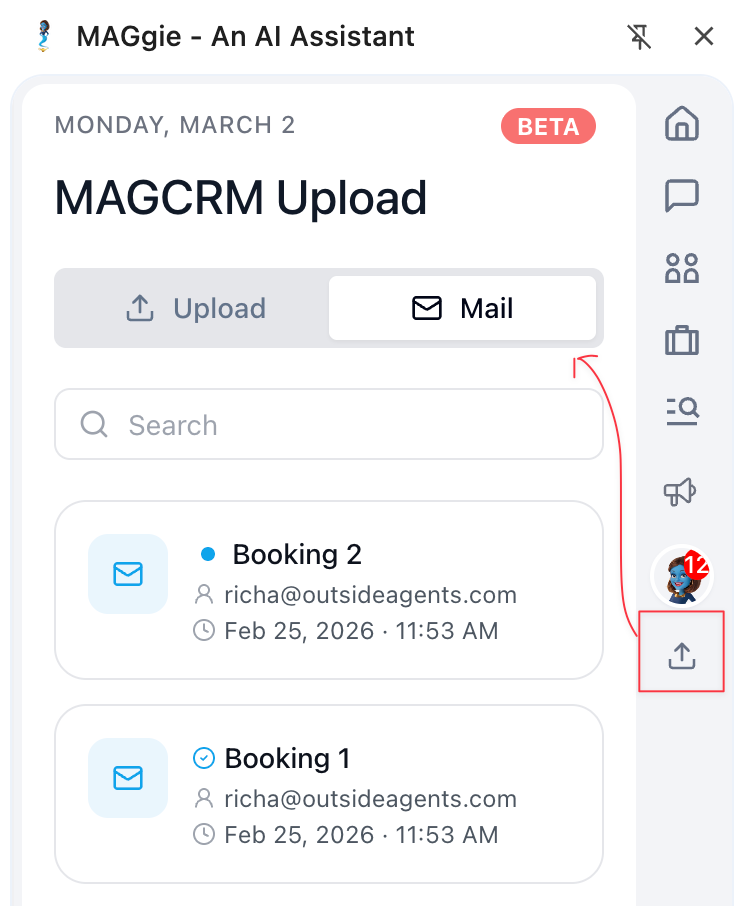
3️⃣ Go to MAGCRM Upload → Mail tab
4️⃣ You will find all your forwarded emails here
5️⃣ Select the email & click Parse
6️⃣ You can copy the parsed data & the rest of the process remains the same as before.
MAGgie™ reads the email (and attachments), extracts the booking details, and prepares them for import into MAGCRM.
Just a reminder - this feature works only with your MAGgie-registered email. Click here and scroll to the bottom of the page to confirm which email is registered.